Every skill has a written standard, so a badge means the same thing from one session to the next.
Criteria describe what you can see a goalkeeper do: correct choices, correct technique, accurate clears. The expected standard moves with the keeper's age and years in goal, so a first-year junior and a five-year adult are each measured fairly.
From first session to badge review in four steps.
Built for a coach with a squad of keepers and a phone in one hand. Nothing to learn, nothing to configure.
1
Add your keepers
Name, birth month and years in goal. Gloveside Progress works out the age band and the development level, and from those, the standard each skill is expected to reach.
2
Tap a star per skill
Tap the level a keeper has shown: Started, Blue, Bronze, Silver or Gold. Open any skill to read the exact criteria for each level while you decide.
3
Review each month
After about four or five sessions, the keeper is checked against the overall Bronze, Silver or Gold bar. The badge stands until the next review.
4
Share with parents
Send a private invite link from your own phone. The parent confirms their email once, then signs in with a 6-digit code whenever they need to.
Five levels per skill. Three badges overall.
Progress is visible at both scales: the skill a keeper just unlocked, and the badge that recognises the whole picture.
The overall badge looks at how many skills are at the expected standard for that keeper, and holds the keeper back if a critical skill (positional play, block and clear, low saves, penalty corners) isn't there yet. That keeps a badge honest.
Made for the coach, and for the family.
Everything is built around one job: knowing where each goalkeeper is, and what to work on next.
32 skills, written down
From goalkeeper theory and positional play to block and clear, saves high and low, one-on-ones, penalty corners and shootouts, agility and focus. Every skill has criteria for each level, so the standard is on the screen, not in someone's head. Reword any of them in your own words, and switch off the ones a keeper is not ready for.
Standards that fit the keeper
Junior, Youth and Adult bands, and development levels from Novice to Advanced based on years in goal. A beginner is measured against a beginner.
Focus areas, not just scores
See which skills are below the expected standard and which critical skill is holding a badge back, so the next session has a clear purpose.
Log a session in one pass
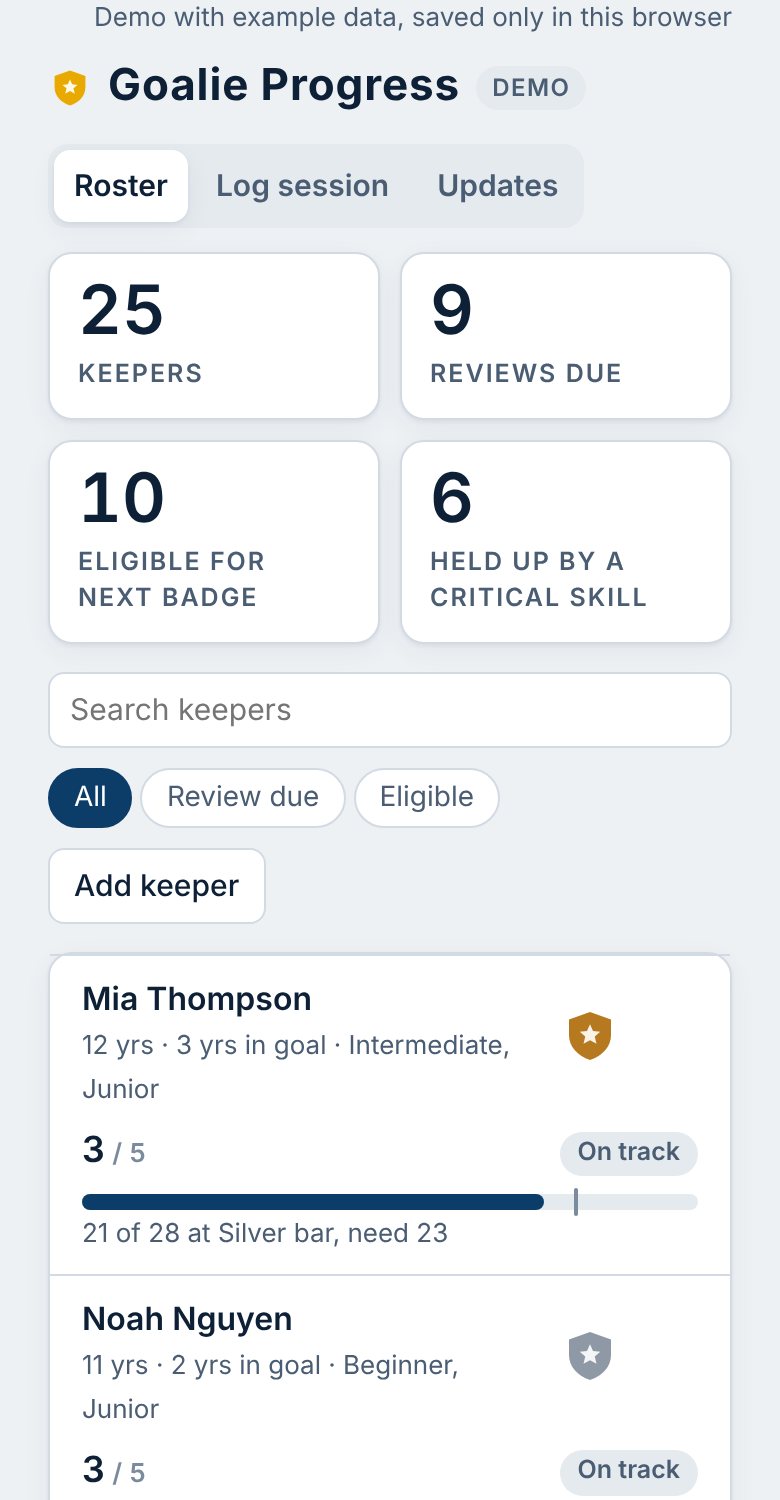
Mark attendance, record skills that moved, and the updates to send are ready. Squads of 25 keepers or more stay manageable with search and review filters.
Works with poor signal
It opens and takes edits at the pitch even when reception drops, then saves to the server when you're back online. Install it to your home screen and it behaves like an app.
Private by design
No passwords to leak. Parents only ever see their own keeper, never contact details, coach notes or other families. Data is kept in Cloudflare's Oceania region.
For parents and players
Progress they can actually follow.
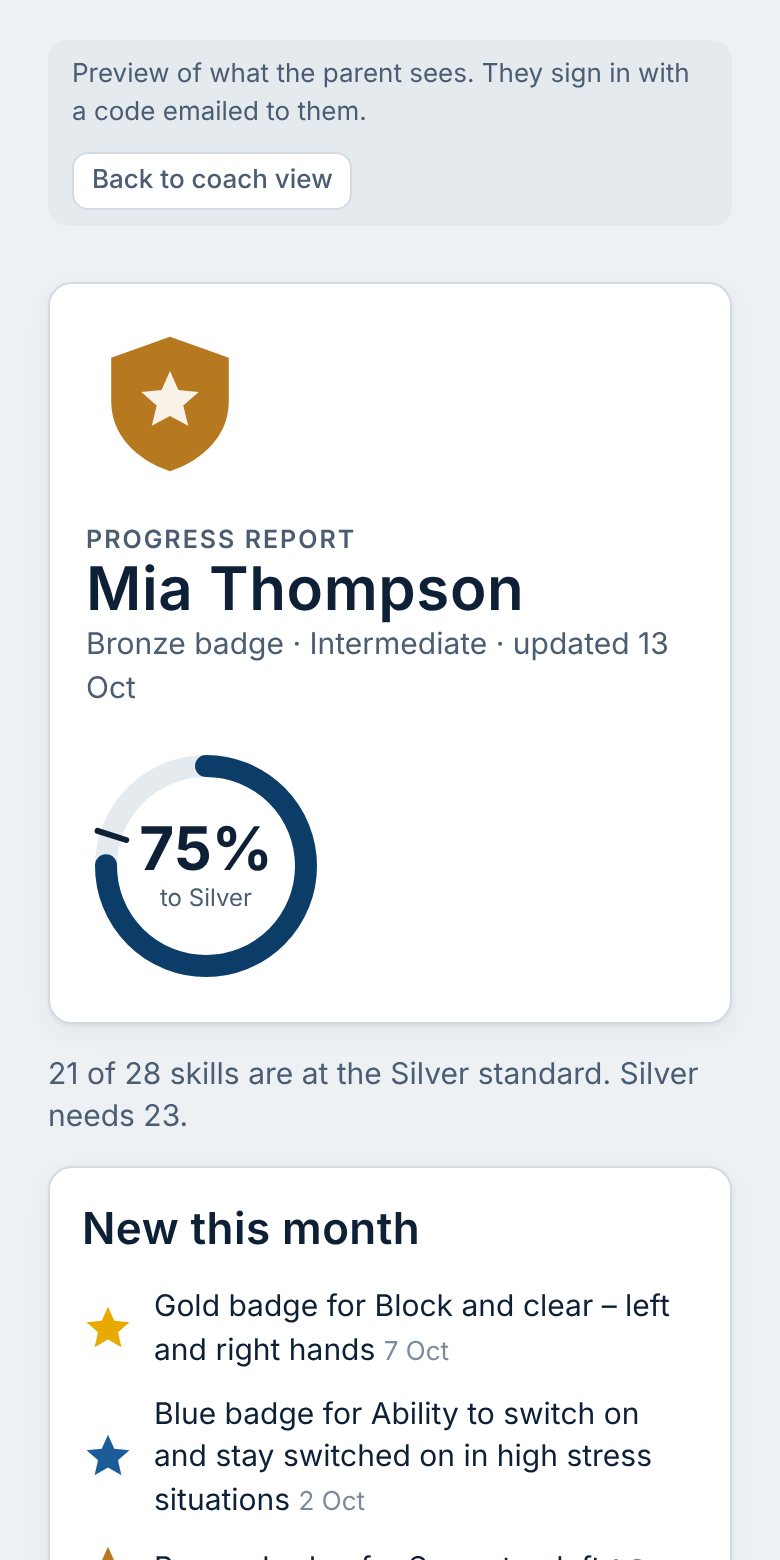
Instead of a verbal "he's doing well", families see the badge, how far it is to the next one and what moved this month, in plain language.
- Invite-only: the coach sends a private link, the parent confirms their email.
- Next time, a 6-digit code to their email signs them in on any device.
- Only their own keeper's progress is visible. Coach notes and contact details stay private.
For coaches
The criteria are right there when you decide.
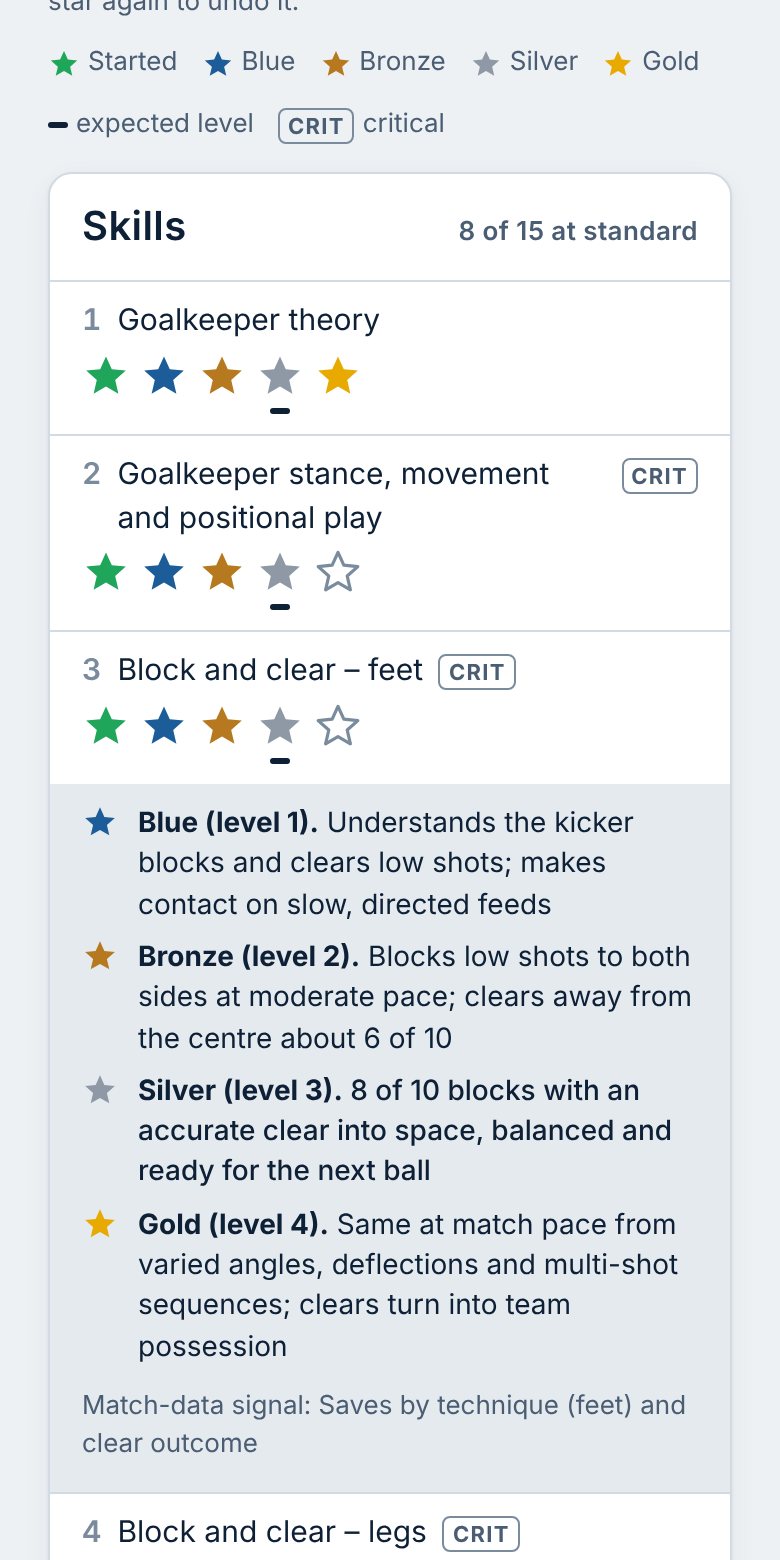
Tap a skill to read what Blue, Bronze, Silver and Gold look like for that skill, with the expected level marked for this keeper. Mistakes are one tap to undo.
- Critical skills are flagged so you know what gates the next badge.
- The expected level changes automatically as the keeper's years in goal grow.
- Each skill notes the match-data signal worth watching.
Training and matches, side by side.
Gloveside Progress shows how a goalkeeper progresses in training. Gloveside Perform shows how they play in match context, with every circle entry logged in four taps. Together they tell a coach where to focus next.
Free trial
Try it free with two goalkeepers.
Register in a minute and track badges for two of your keepers. This is an early version, so some features are held back while we shape it with coaches.
Free trial
2 goalkeepers
- All 32 skills, standards and monthly reviews
- Log sessions and see focus areas
- Works on your phone, even with poor signal
Coming next
On request
- More keepers, for whole squads
- Private progress pages for parents
- Invites and update messages
Coaching a squad? Register in a minute.
Enter your name and email, confirm the address with a 6-digit code, and your roster is ready to fill. After that you sign in with your email and a code, with no password. Parents don't register: your coach sends them an invite.
Questions coaches ask.
Short answers. If yours isn't here, email goalieperform@gmail.com.
How do I get started as a coach?
Register with your name and email, then enter the 6-digit code we email you to confirm the address. That creates your coach account and an empty roster. Each time you sign in after that, you enter your email and a fresh 6-digit code.
Is it free to try?
Yes. Register as a coach and you can track two goalkeepers for free, with all 32 skills, standards, monthly reviews and session logging. Parent progress pages and bigger squads are held back for now. Email goalieperform@gmail.com if you would like them early.
Do parents need an account?
Yes, but it takes seconds and has no password. The coach sends a private invite link. The parent opens it, confirms their email, and from then on signs in with a 6-digit code emailed to them.
What can a parent see?
Their own keeper's badge, skill levels, progress towards the next badge and what moved recently. They cannot see coach notes, contact details, other keepers or session planning.
How do the expected standards work?
The coach records years in goal when adding a keeper. That sets a development level (Novice, Beginner, Intermediate or Advanced), and together with the age band (Junior, Youth or Adult) it sets the level each skill is expected to reach. It updates automatically as time passes.
Can I use it with a big squad?
That's what it's built for. The roster shows who is due for review and who is eligible for the next badge, and you can search and filter. The demo has 25 example keepers so you can see how it feels.
Does it work offline?
Coaches can keep working when the signal drops. Changes are kept on the device and sync automatically when it is back online. Sign-in itself needs a connection, because the code is emailed.
Where is the data kept, and who can see it?
On Cloudflare, in a database located in the Oceania region, over HTTPS. It is used only to run the service and is never sold or shared. Read the privacy policy for the detail.
How do I install it on my phone?
On Android, open the app in Chrome and choose Install app from the menu. On iPhone or iPad, open it in Safari, tap Share, then Add to Home Screen.